ScoutLauncher
From messy folders to a playable library.
Point Scout at your games folder. Using a tiny local AI model, it finds every game inside and gives each one covers, details and a Play button.
Your local games.
Zero configuration.
Three steps. No accounts. Nothing leaves your machine.
-
01
Add your games folder
Point it at the folder your games are installed in, like
D:\Games. Everything inside becomes a game in your library, so that folder should hold games and nothing else. A single game's folder or a folder of shortcuts works too.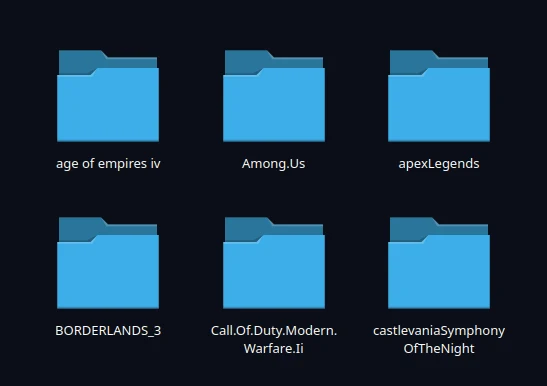
D:\Games, one folder per game.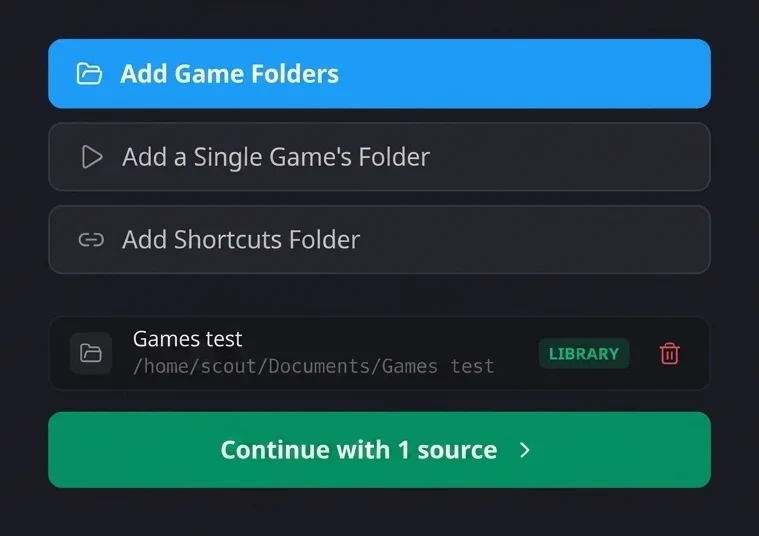
Added as a source, ready to scan. -
 02
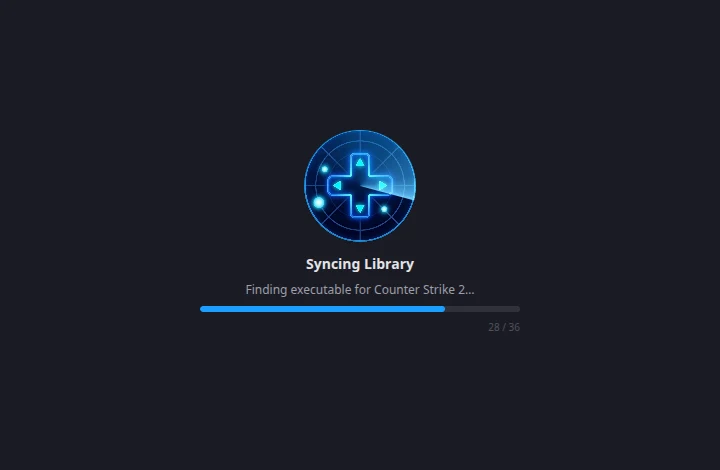
02Scout finds every game
Recursive scanning matches every executable, then pulls in covers, tags, descriptions and ratings automatically. A small model runs on your machine to work out which file actually launches each game.
-
 03
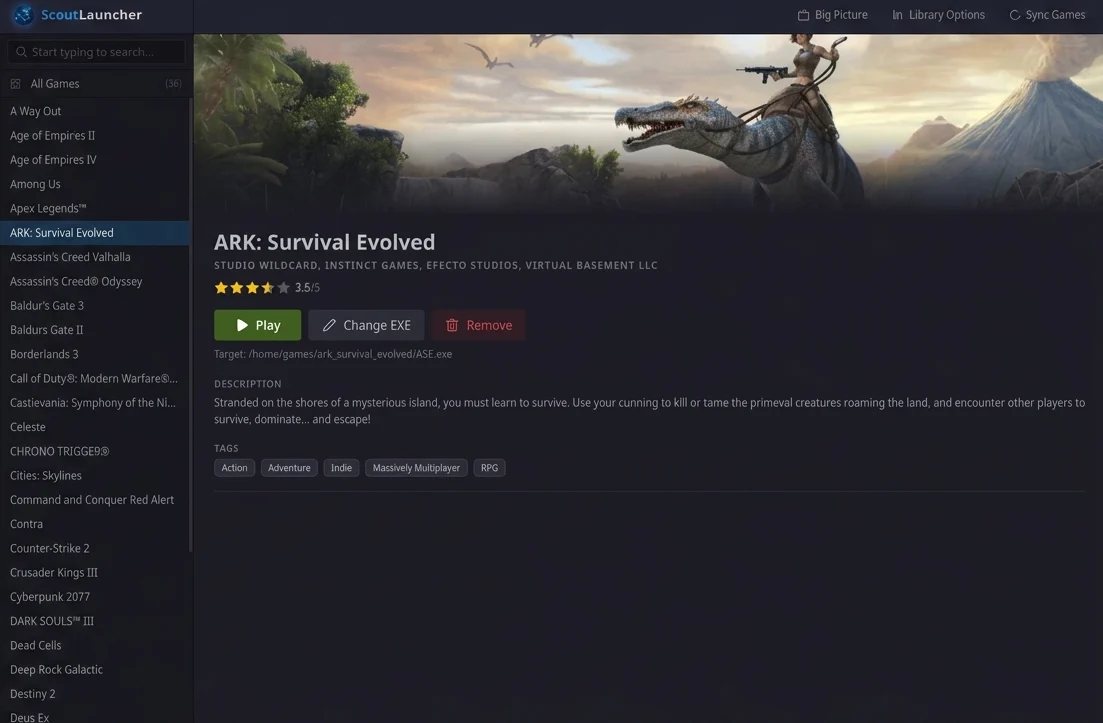
03Launch in one click
Skip digging through directories. Open any title from a clean library, with desktop or Big Picture controls.

Two ways to browse. Same library.
Pick the view that fits your desk, or your couch.
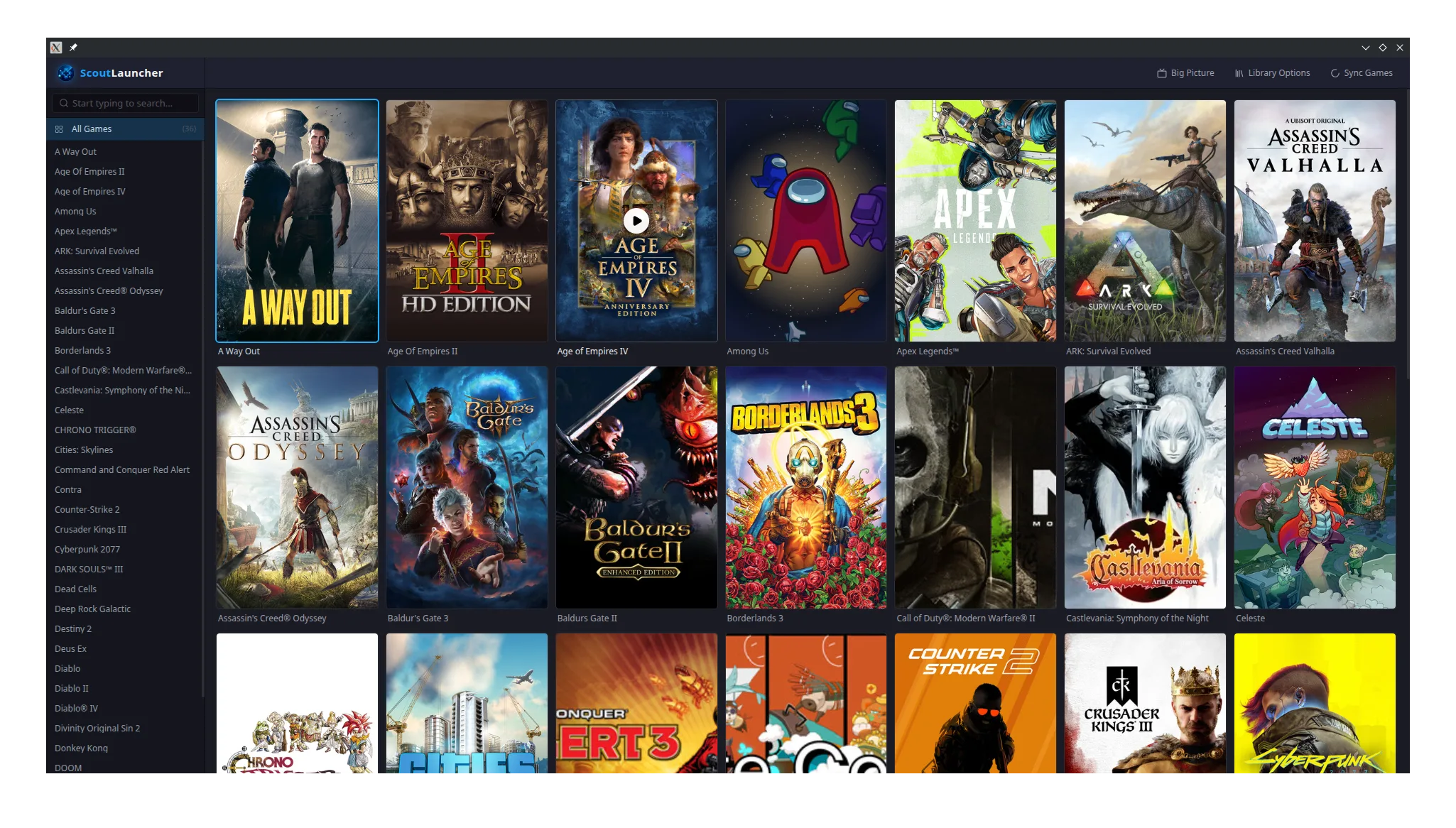
Desktop mode
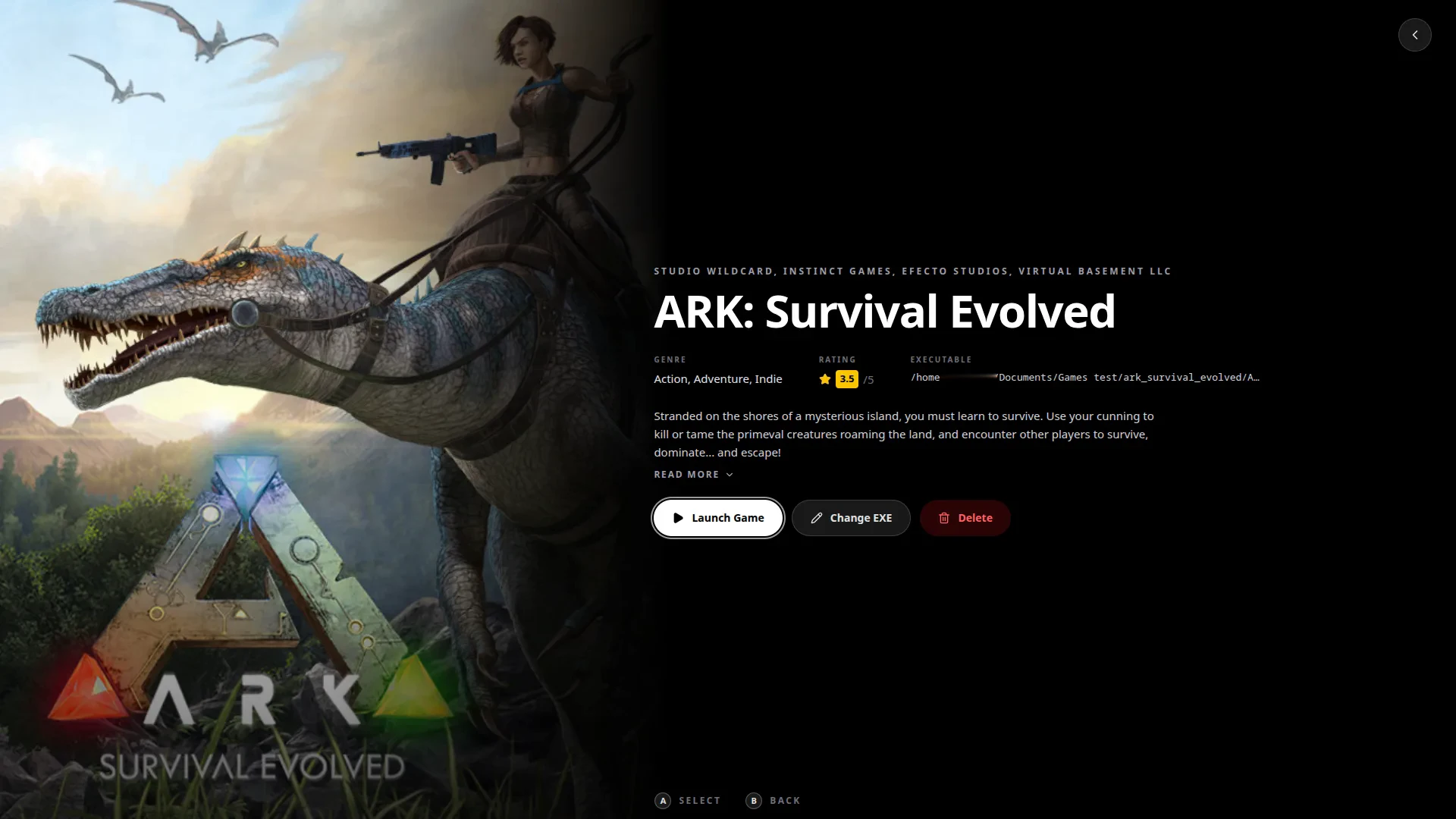
Sidebar search, a cover grid, and rich detail pages for every title. Change the executable, sync your library, and if a game comes up under the wrong name, rename it and the artwork and details update to match.
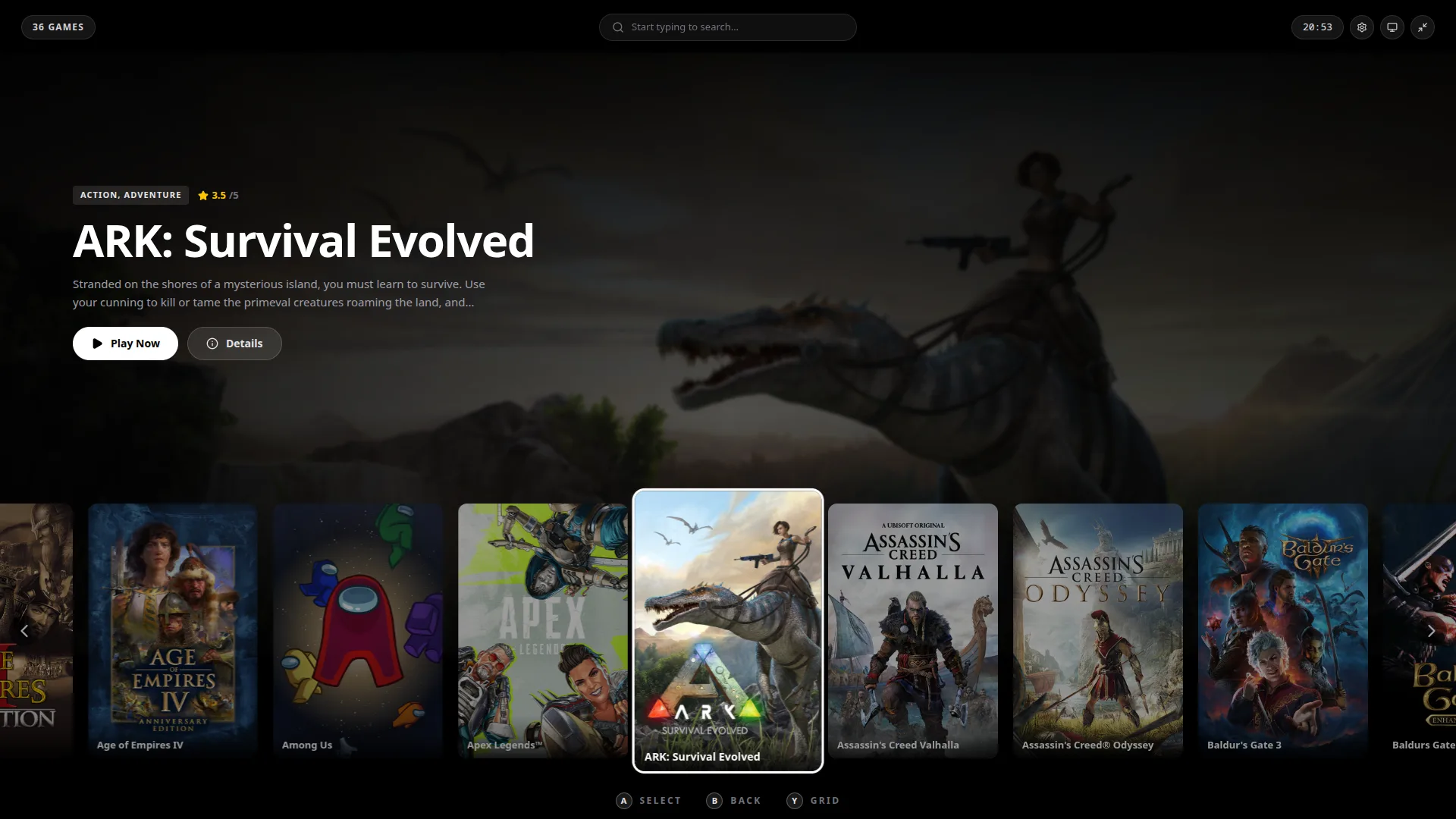
Big Picture
Made for the TV. A big banner for whatever you have highlighted, a row of cover art to scroll through, all of it driven by a controller.
All local. All yours.
Scout runs on your machine. Your folders stay your folders. No storefront lock-in, no forced cloud sync, and no account wall between you and Play.
- Smart recursive scanning
- Automatic covers and metadata
- Works fully offline after setup
- Free to use
Before you download.
What is worth knowing before you install.
Can I just add my whole C: drive?
Best not to. Everything inside the folder you add becomes a game, so C:\ gives you a library full of Windows and Program Files. Add D:\Games, or wherever your games actually live.
What about my Steam games?
Add your Steam shortcuts folder, %APPDATA%\Microsoft\Windows\Start Menu\Programs\Steam. Every game with a Start Menu shortcut arrives under its proper name and still launches through Steam. Steam only creates those shortcuts when you tick the box while installing, so anything you installed without it will not be there.
Does it need an internet connection?
Only the first time it looks up a game, when it fetches the artwork and details from public databases. After that, browsing and launching work completely offline.
Does it use AI or send my files anywhere?
Scout runs a small model, a few hundred megabytes, on your own machine to work out which executable launches each game. Nothing about your files is uploaded.

Ready when your games are.
Download ScoutLauncher and point it at your games folder.